Research & mood boards
Save the top ten thumbnails in your niche into one folder and study them side by side — face-to-text ratio, where the brightest color sits, what stays readable at 320 pixels wide.
Thumbnail Downloader
Paste a video link, preview every YouTube thumbnail size up to 1280×720 HD, and download the one you want. It all runs in your browser — nothing is sent to us.
No sign-up · Runs in your browser · Free
Every video gets the same thumbnail files at predictable addresses on img.youtube.com — one image, up to five sizes you can download, largest first. These are the real ones, scaled in proportion.

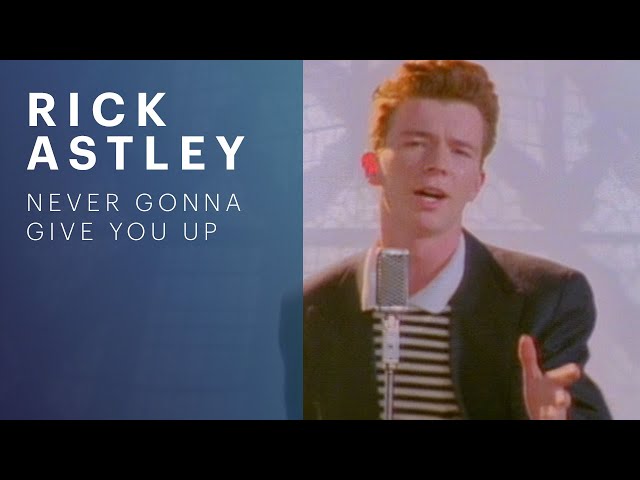
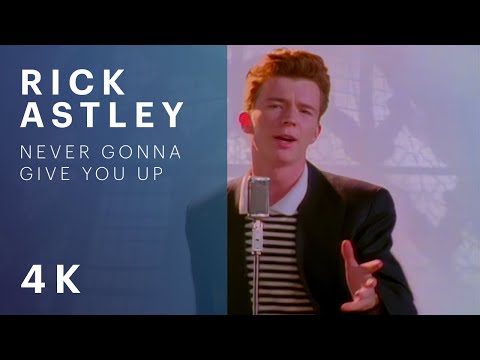

Two quirks worth knowing: sddefault and hqdefault are 4:3 files, so a 16:9 frame arrives with padding bars baked in — visible above. And the tool skips the 120×90 tile deliberately: it's too small for real use, and YouTube's own missing-image placeholder is exactly 120×90, so a genuine thumbnail at that size can't be told apart from a broken one. Everything saves as JPG, because that's what the CDN serves.
Patterns jump out in a folder view that you'd never spot scrolling a feed.
Save the top ten thumbnails in your niche into one folder and study them side by side — face-to-text ratio, where the brightest color sits, what stays readable at 320 pixels wide.
The PSD is three years gone, but the 1280×720 file YouTube kept is the best surviving copy of your own work. Grab it and you've got something to rebuild from.
A slide that cites a video, an essay showing the work it critiques, a reaction layout that needs the cover image — take the exact frame YouTube shows the world.
Creator notes
The 1280×720 maxresdefault file is the only one YouTube doesn't guarantee. It gets generated only when the uploader supplied imagery at that resolution — a custom thumbnail at least 1280 pixels wide, or source footage sharp enough to pull an HD frame from.
That leaves gaps. Videos uploaded before HD thumbnails were a thing, phone clips shot at 480p, auto-generated covers from soft footage — plenty of them top out at 640×480. When that happens you won't see an error; we just list every size that does exist and put the biggest at the top.
A thumbnail is a copyrighted image, the same as any photograph or illustration. Downloading one doesn't change who owns it.
What matters is what you do next. Studying thumbnails for research, quoting one in criticism or commentary, keeping a private reference folder — those uses lean toward fair use in most jurisdictions. Taking someone else's thumbnail and putting it on your own video doesn't; that's passing their work off as yours. Copyright law differs by country, so for anything public or commercial, check the rules where you live — or just ask the creator.
Our video tools work through our API: your link goes to our server, we fetch the format list, and you get download links back. This page skips all of that. The video ID is extracted in your browser, the probes go straight to img.youtube.com, and the file you save travels from YouTube's CDN to your machine without passing through anything we run. We couldn't see which thumbnails you grab even if we wanted to.
It cuts both ways, though, and here's the honest limit: if YouTube's CDN doesn't expose an image — private videos generally don't — there's nothing we can do from our side, because there is no our side. The upside is resilience: this tool keeps working even when our download backend is having a bad day.
The thumbnail is usually just the start. If you want the footage behind it, the YouTube to MP4 downloader saves the full video at up to 1080p, with file sizes shown before you commit to anything. And when only the sound matters — a lecture, a mix, an interview — converting the video to MP3 cuts an hour of content down to roughly 55 MB.
Vertical clips get thumbnails through the same video-ID system, so they work here too; when you want the clip itself rather than its still, the YouTube Shorts downloader keeps the original 9:16 frame intact. For everything else there's the main YouTube downloader, which takes any regular link and lets you pick the format after you paste. New to saving videos entirely? The step-by-step download guide covers the whole process on Windows, Mac, Android, and iPhone.
Three steps: paste the video link, preview every size the tool pulls from YouTube's CDN, and save the biggest one. The 1280×720 maxresdefault file is the HD version — when it exists, it's the one to grab. Everything happens in your browser, so the image travels straight from YouTube to your machine.
Four: 320×180 (mqdefault), 480×360 (hqdefault), 640×480 (sddefault), and 1280×720 (maxresdefault). When the HD file exists, take that one — it's the closest thing to the creator's original upload and downscales cleanly for any smaller use. We skip the tiny 120×90 default.jpg because it's too small to be useful.
The 1280×720 maxresdefault file only exists when the uploader provided imagery at that resolution, usually a custom thumbnail at least 1280 pixels wide. Older videos and low-resolution uploads often never got one. When it's missing, we simply show every size that does exist, largest first — 640×480 is usually the best remaining option.
Private videos, generally no — YouTube doesn't expose their thumbnails on the public image CDN, so there's nothing for us to find. Deleted videos are less predictable: their images sometimes linger in the CDN cache for a short while after removal. It's worth trying soon after deletion, but expect them to vanish for good before long.
JPG, because that's the only format YouTube's img.youtube.com server stores these files in. You receive the original bytes with no re-encoding, so the quality is exactly what YouTube serves. If you need PNG or WebP, any image editor can convert the JPG after you've saved it.
Thumbnails are copyrighted images, so it depends on what you do with the file. Saving one for research, criticism, or personal reference generally leans toward fair use. Reusing someone else's thumbnail as your own — on your video or your website — doesn't. For anything public or commercial, ask the creator first; many say yes when you offer credit.
Yes. Shorts use the same video-ID and CDN naming system as regular videos, so paste the Shorts link and the tool resolves it normally. One thing to know: the stored files are landscape frames — 16:9 or 4:3 depending on the size — so a vertical Short's thumbnail may arrive with bars down the sides or cropped inside them. If you'd rather have the clip itself than its still, the the YouTube Shorts downloader keeps the vertical frame intact.
No — and not as a policy choice, but because of how the tool is built. Every probe and download happens directly between your browser and YouTube's image CDN. No request ever touches a ytvideodown.online server, so there's nothing for us to log even if we wanted to.